
Free Discord Translator
Discord communities are global — conversations aren't. This extension translates chat in place, both ways, so a server in Japanese reads like it was written for you.
Four decisions that made
people rate it 5.0.
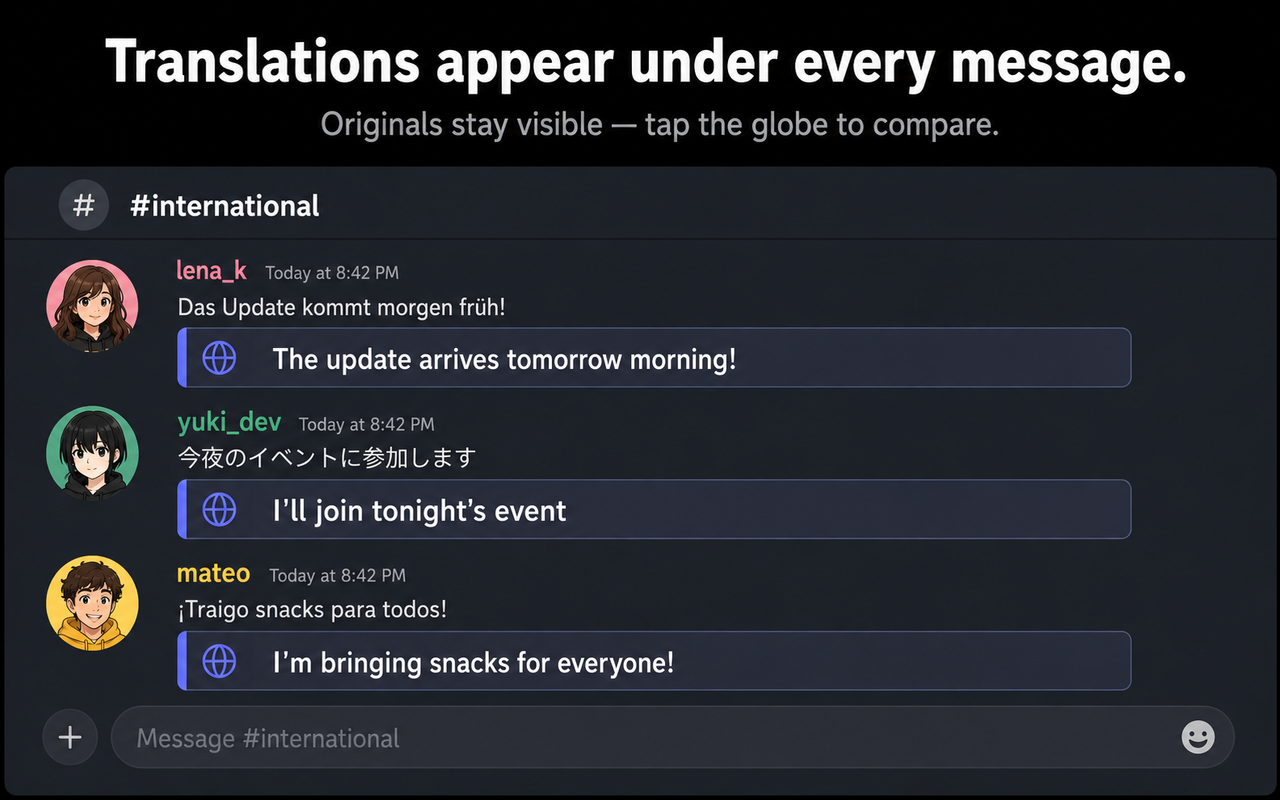
Translations live under each message — not in another tab.
No copy-paste, no context switching. Incoming messages get an unobtrusive, Apple-style translation frame right in the chat flow. Originals stay visible, and one tap on the globe reveals them anytime.
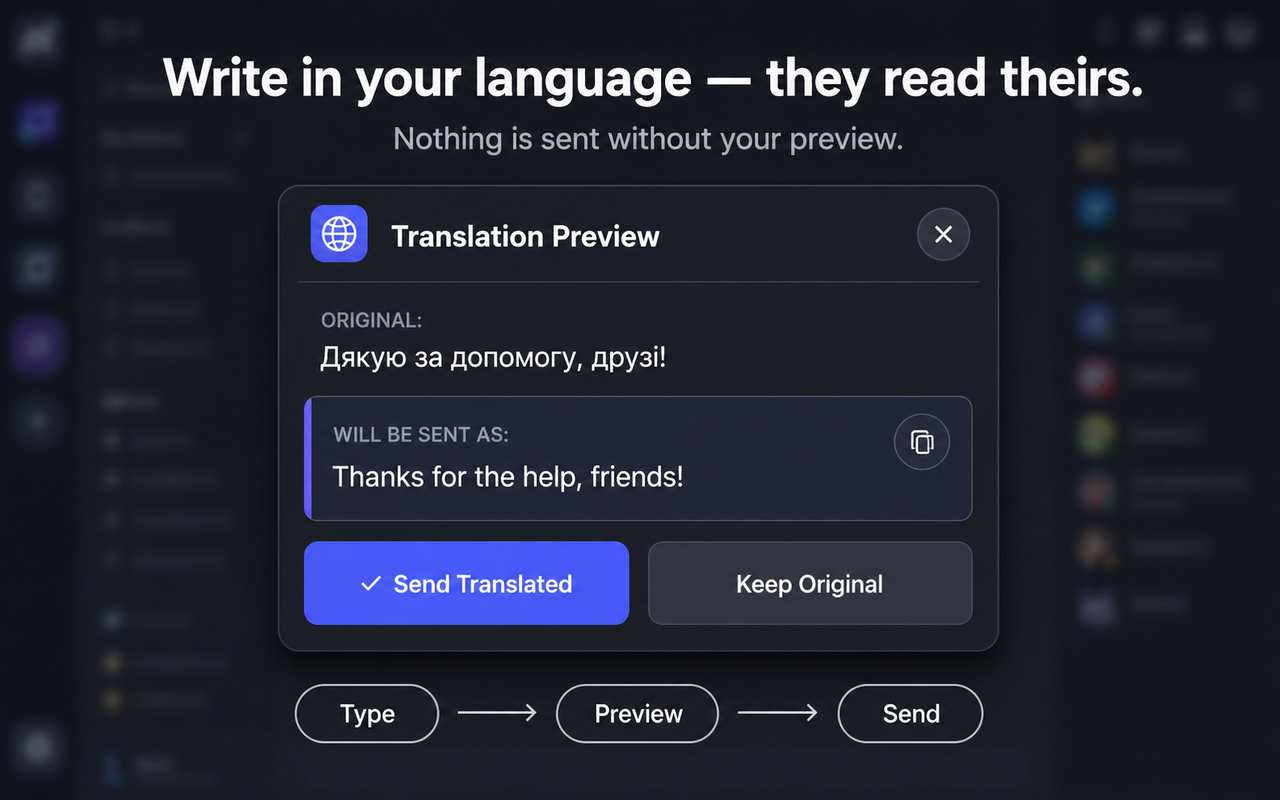
Write in your language — send in theirs, with a preview.
Outgoing messages are translated before sending, and nothing leaves without your approval. A clean preview card shows exactly what will be sent — approve it or keep the original with one click.
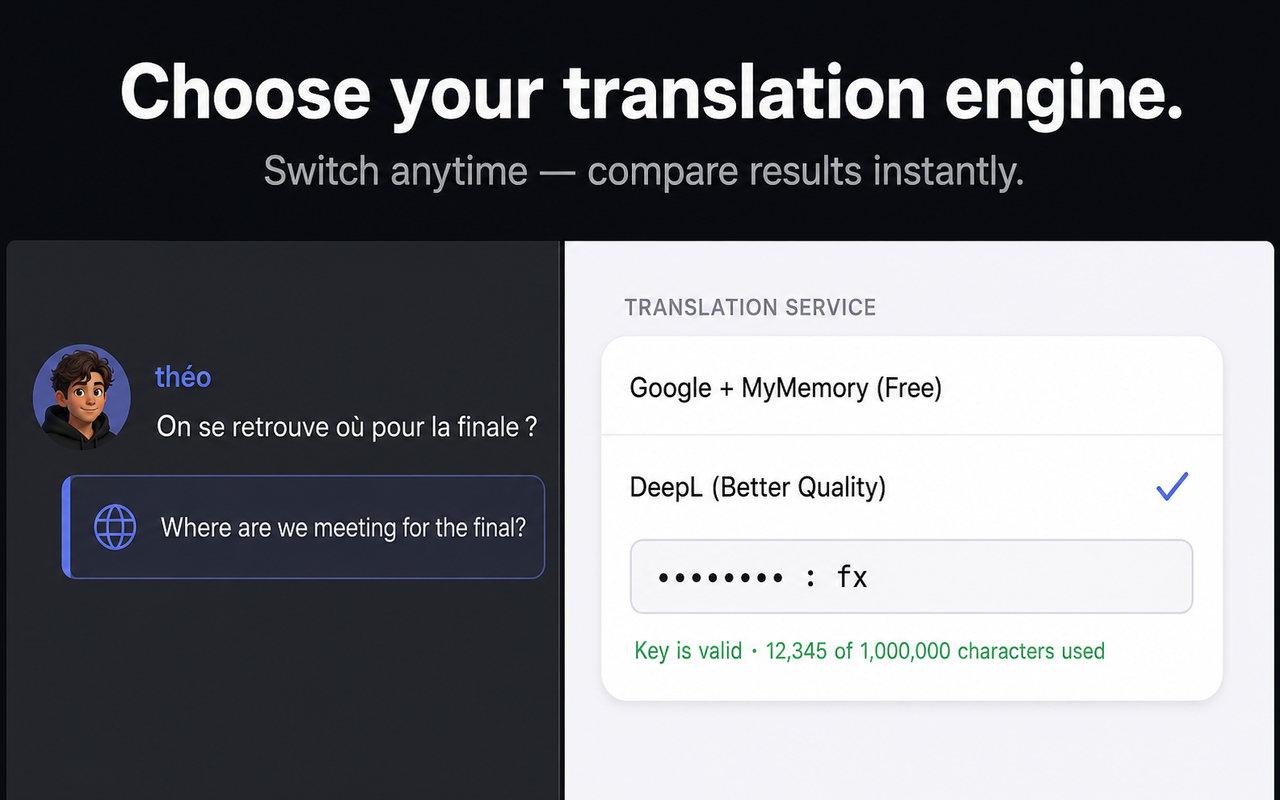
Two engines, one switch — including DeepL.
The free Google + MyMemory chain works out of the box. Plug in a personal DeepL API key and every message upgrades to DeepL quality — with smart caching and request queuing so the quota lasts. Unsupported languages fall back automatically.
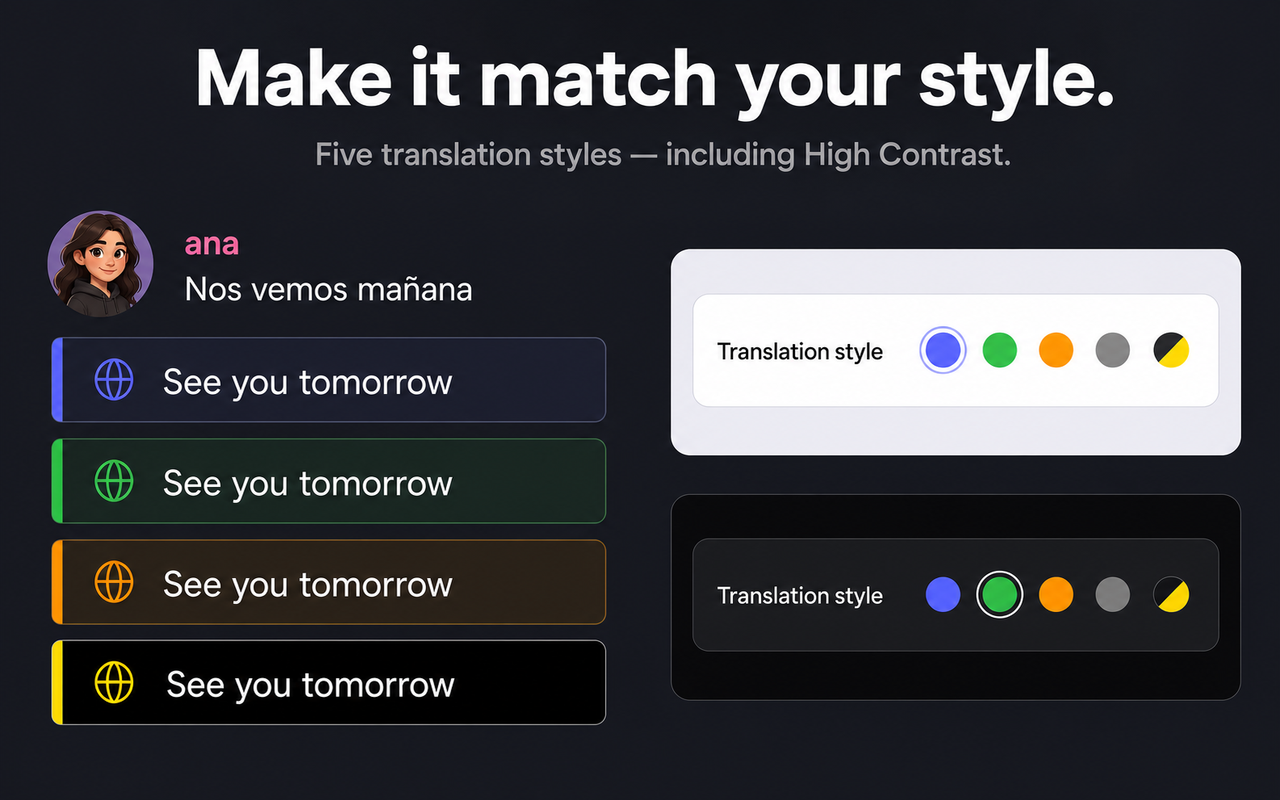
It looks like Discord shipped it.
Five color styles — including a High Contrast accessibility mode — light and dark themes, and an iOS-grade settings popup. Every element, down to the focus rings, follows one design system.
Small details, done properly.
Every string — popup, onboarding, even the send-preview — localized, with RTL support.
No accounts, no analytics. The translation cache stores SHA-256 hashes, never raw messages.
Persistent cache, sequential request queue, automatic fallback chain across three services.
Hand-written Manifest V3 — no frameworks, no build step, no runtime dependencies.
Contrast-checked palettes, full keyboard navigation, screen-reader announcements throughout.
Alt+T / Alt+O work on any keyboard layout — Cyrillic, Latin or CJK — via physical key codes.
From v1.0 to today.
Try it in your Discord.
Free, no account, ready in ten seconds.